🧾
Multiple discount lines
Up to 10 lines per invoice, each with its own description and either a fixed net amount or a percentage.
Per-invoice discounts for Kimai
Add fixed or percentage discounts to a single Kimai invoice, right on the “Create invoice” page. Subtotal, tax and total are calculated from the discounted amount — on the invoice, in the PDF, in the payment QR code and in the invoice history.
Free to use for 3 discounts per month. Requires Kimai 2.71 or newer.
What it does
You see the invoice amount first, then decide. Time entries, rates and budgets stay untouched.
Up to 10 lines per invoice, each with its own description and either a fixed net amount or a percentage.
Click “+ Discount” next to the customer on the “Create invoice” page. The total price column updates immediately.
The discount is part of the invoice lines, subtotal, taxes and total stored in Kimai — and of the PDF, the payment QR code and the XLSX export.
Preview as often as you like. Saving the invoice uses the discount — also with two open tabs, a double click or a resubmitted form.
Every saved invoice keeps a snapshot of its discounts and calculation, so historical invoices never change.
“Invoiced (with discounts)” sums saved invoices by customer and month: net before discount, discount, tax and total. License
Calculation
| Net amount | Discount lines | Result (net) |
|---|---|---|
| €1,000.00 | −10 %, then −€100.00 | €800.00 |
| €1,000.00 | −€100.00, then −10 % | €810.00 |
| €1,000.00 | −10 %, then −10 % | €810.00 |
| €800.00 net + VAT 21 % (€168.00) | €968.00 | |
Create invoice
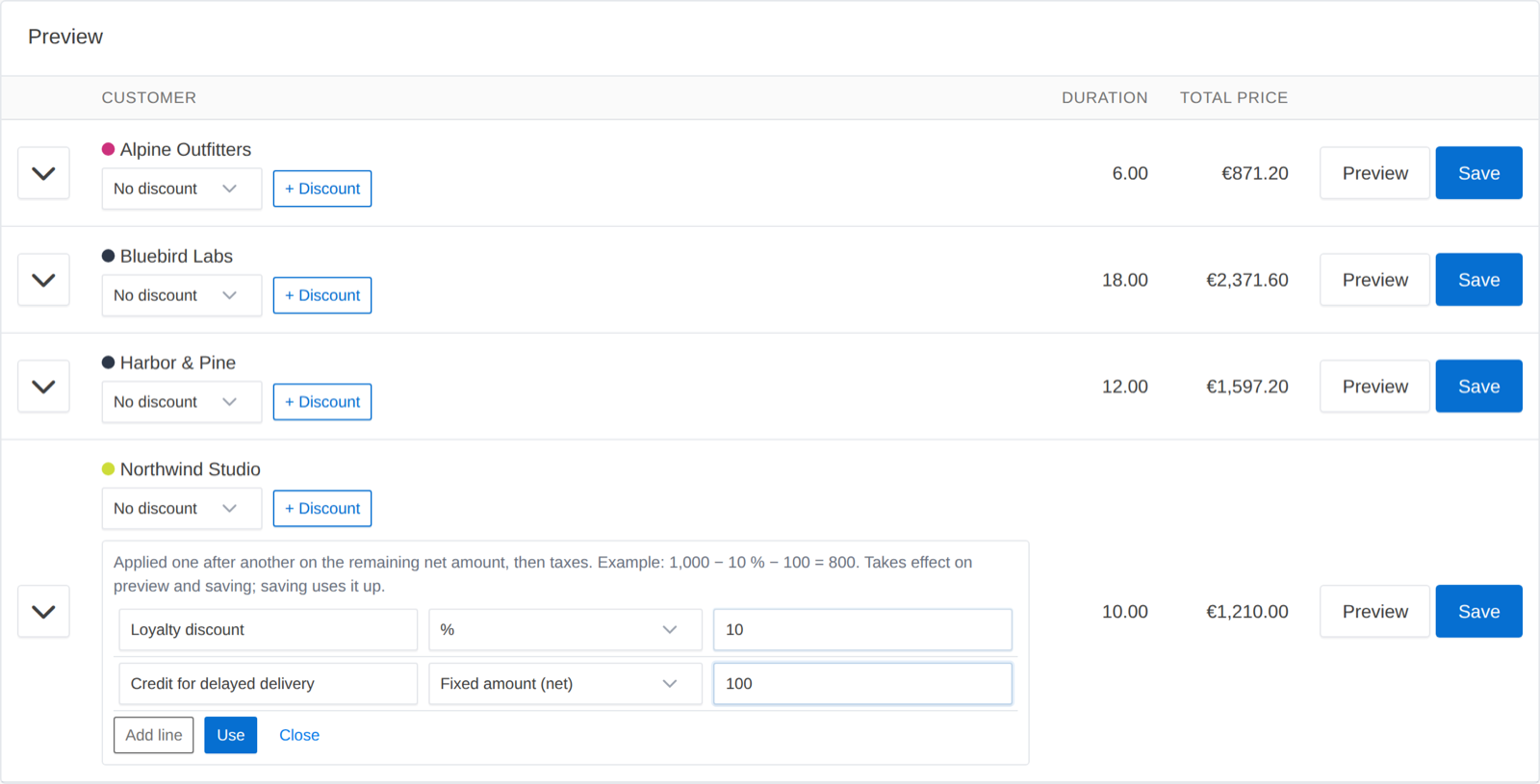
Add lines, choose percent or fixed amount and click “Use”. Invalid input is shown in the editor and nothing is saved.
Total price
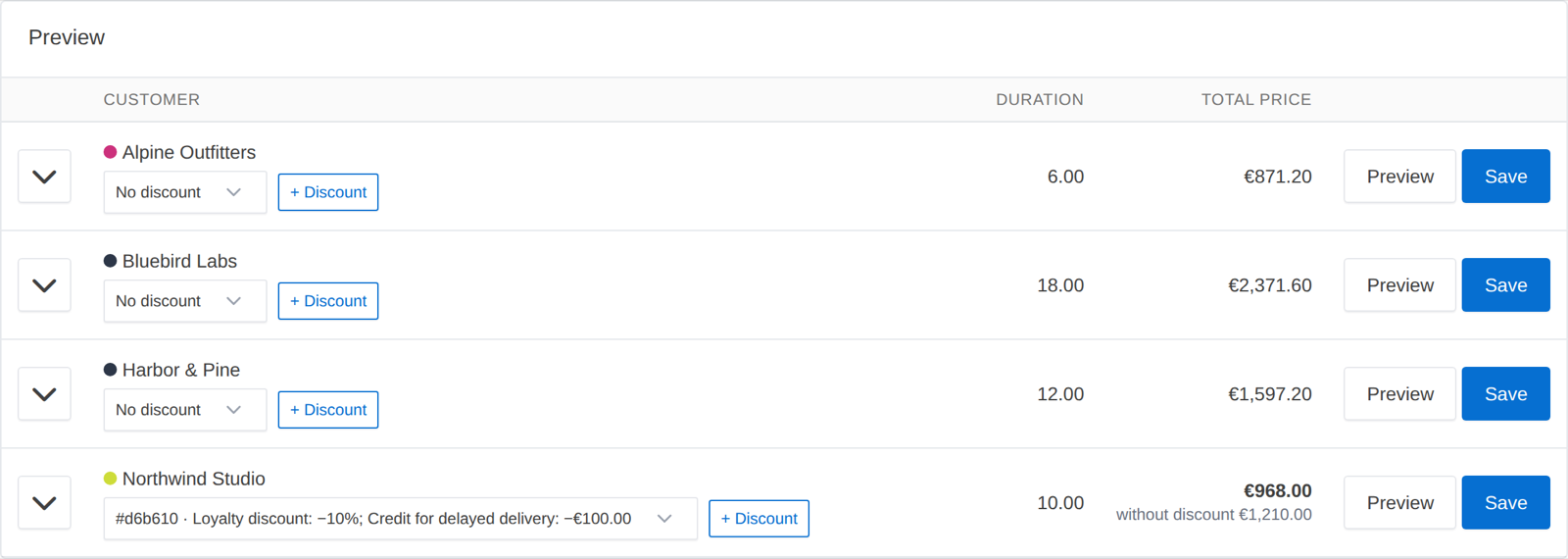
The server calculates the total exactly like the preview: discounted amount with tax in bold, the original amount below.
Invoice document
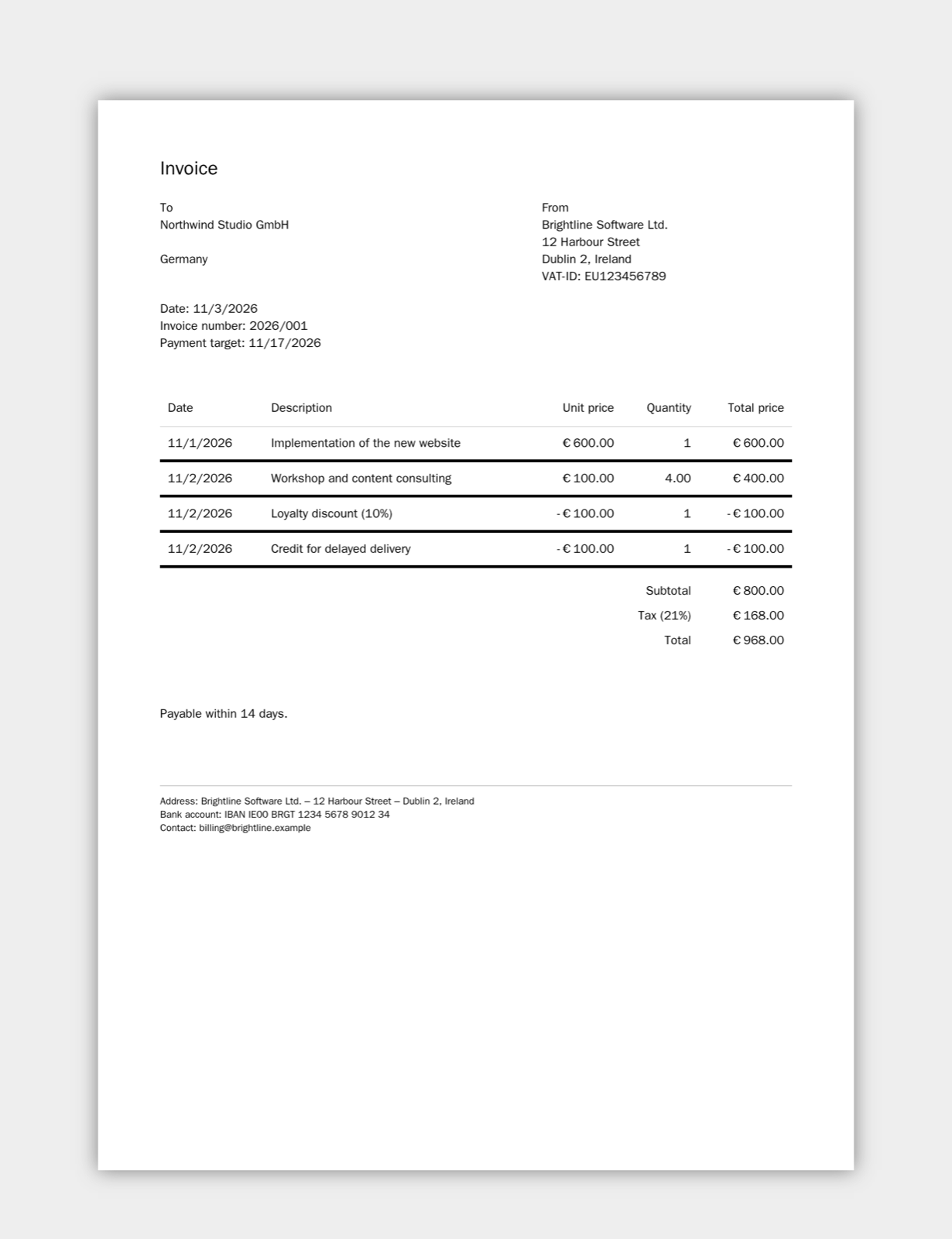
Discounts are regular invoice lines with a negative amount. Kimai’s built-in documents need no changes; custom templates get extra variables such as invoice.discount_total.
Reporting
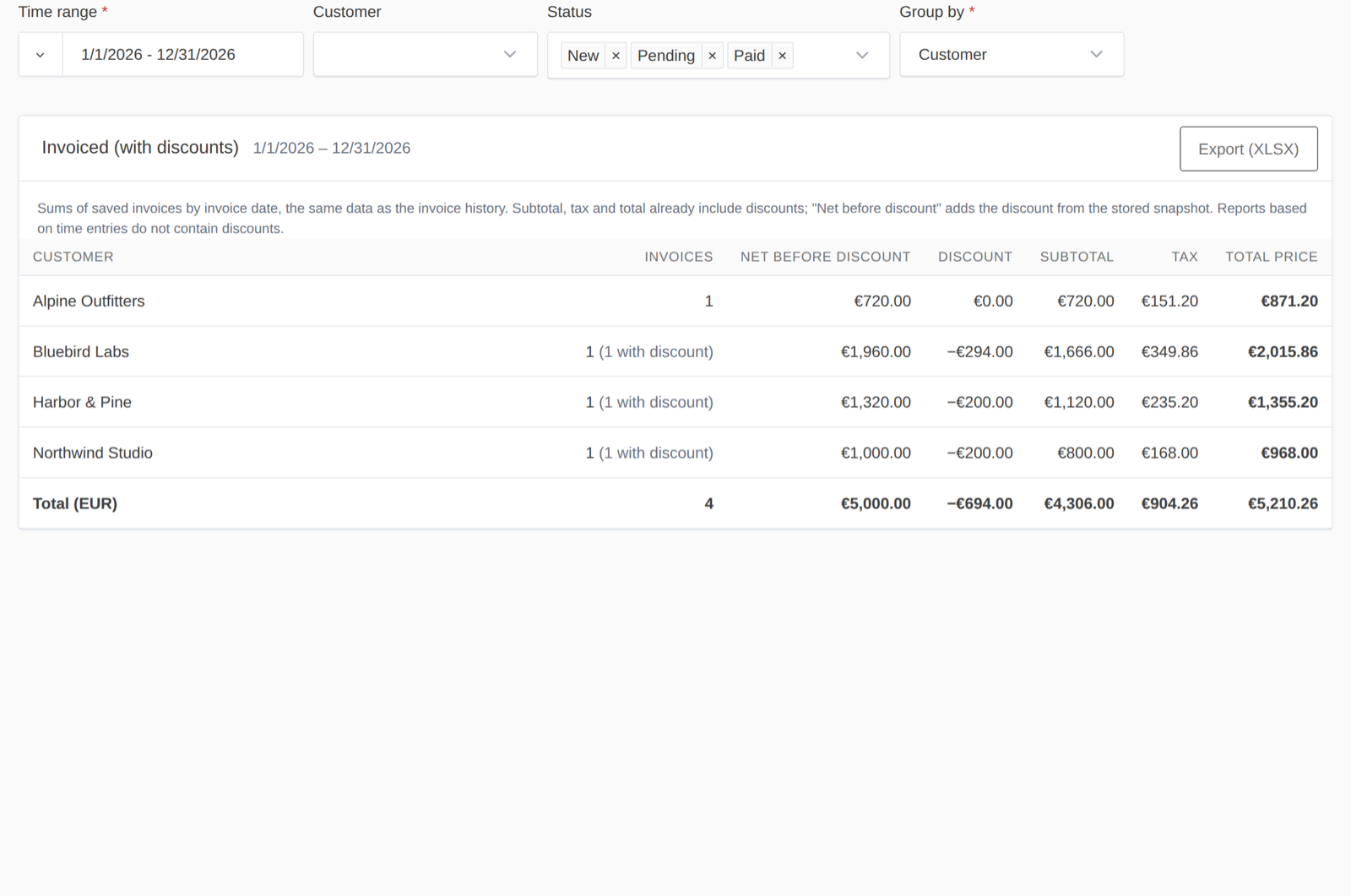
Filter by period, customer and status, group by customer and/or month, totals per currency and XLSX export.
Pricing
Activate the key in Kimai under System → DiscountBundle license. The license is verified at most once every 7 days (only the key, the activation ID and the Kimai domain are sent) and stays valid for 30 days if the server is unreachable. When it ends, the plugin falls back to the free version — existing invoices and their discounts stay unchanged.
Quick start
var/plugins/ so that var/plugins/DiscountBundle/ exists, then run the commands on the right.unzip DiscountBundle.zip -d var/plugins/ bin/console kimai:reload bin/console kimai:bundle:discount:install
Run as the web server user (e.g. www-data). Works in Docker with kimai/kimai2.
FAQ
No. Discount lines are part of entries, and invoice.subtotal, invoice.tax_rows, invoice.total and invoice.total_plain already include them. Only custom documents that add up totals on their own need an update — and the discount must never be subtracted again in Twig.
No. Worked time, rates, internal rates and budgets stay as they are. That is also why Kimai’s time-entry based reports don’t include the discount — the invoice history, its export and the plugin’s own report do.
Kimai rejects the preview and saving with a clear message. A discount is never ignored silently.
Yes. Switch your invoice templates back to Kimai’s calculators and disable the plugin. Saved invoices, their amounts, PDFs and snapshots stay unchanged; the plugin never deletes data automatically.
Ready to use
Download the free version and try it on your next invoice. Upgrade any time for unlimited discounts and the report.